
Check if Land or Property Has a Court Case? Check Legal Disputes on eCourts
A court case or old dispute involving land or property can create problems later, especially when it involves ownership, possession, partition, or an earlier transaction. In many cases, you may not know whether the property owner is already involved in a pending case. Checking the available court records can help you spot such issues before they become a bigger problem.
This guide shows you how to search land and property-related court cases on eCourts, how to search using a party name, CNR number, or case number, and how to check the case details, status, parties, and hearing information to identify the correct case.
How to Check a Court Case on Land or Property Using eCourts?
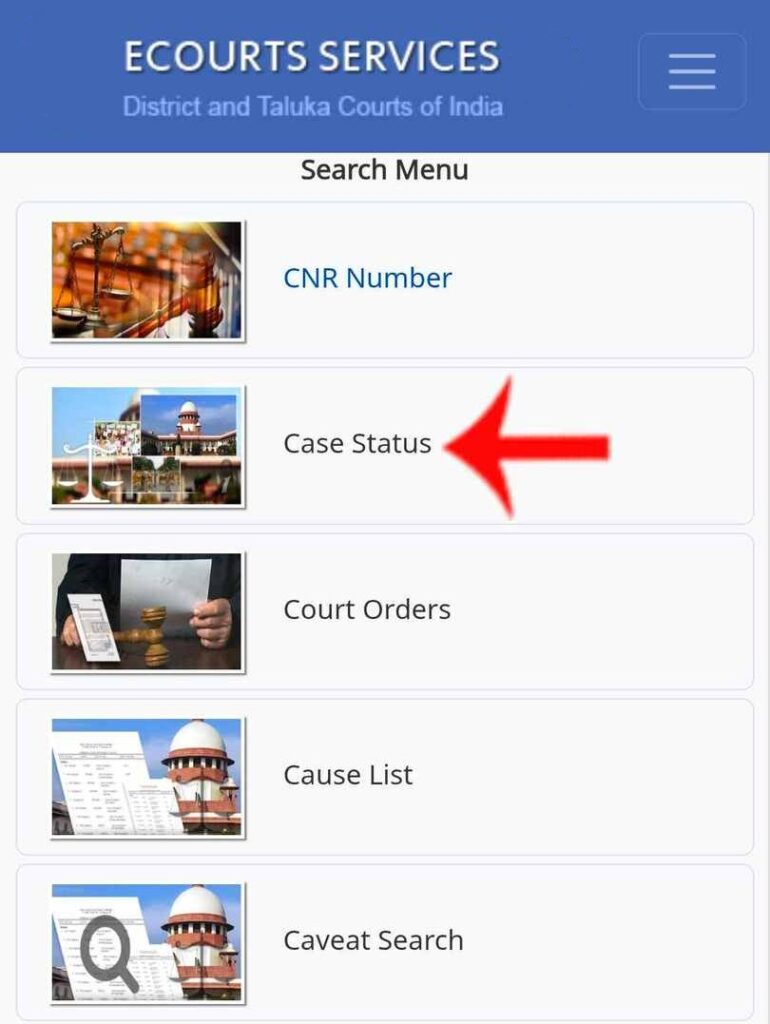
Step 1: Open the official services.ecourts.gov.in website and select Case Status.
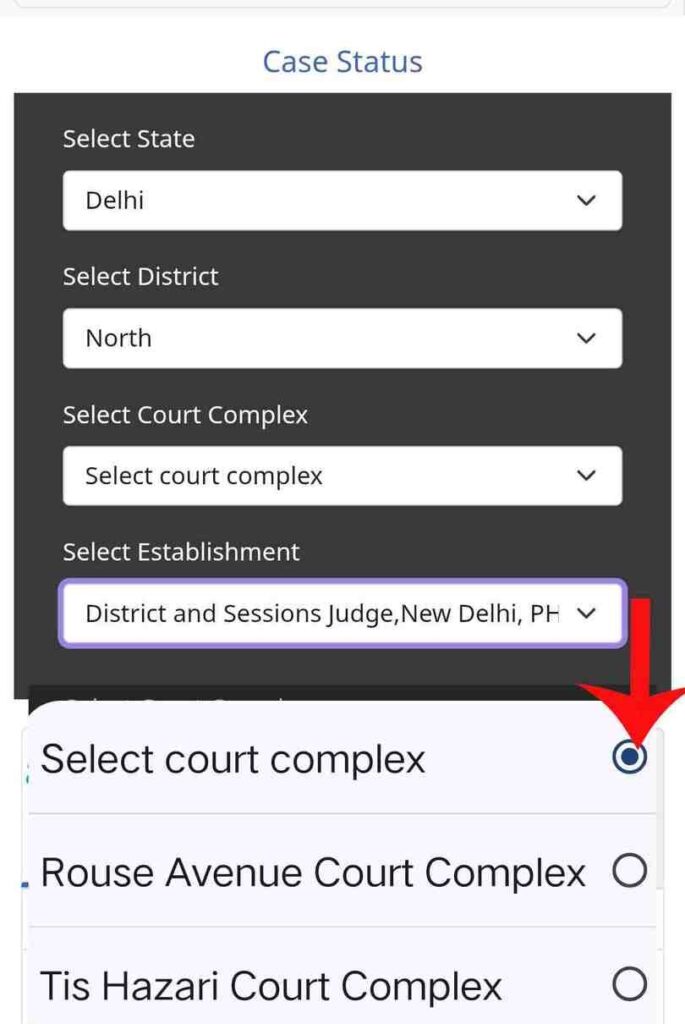
Step 2: Select your State, District, and Court Complex. Court Complex means the group of courts located in a particular area or district.
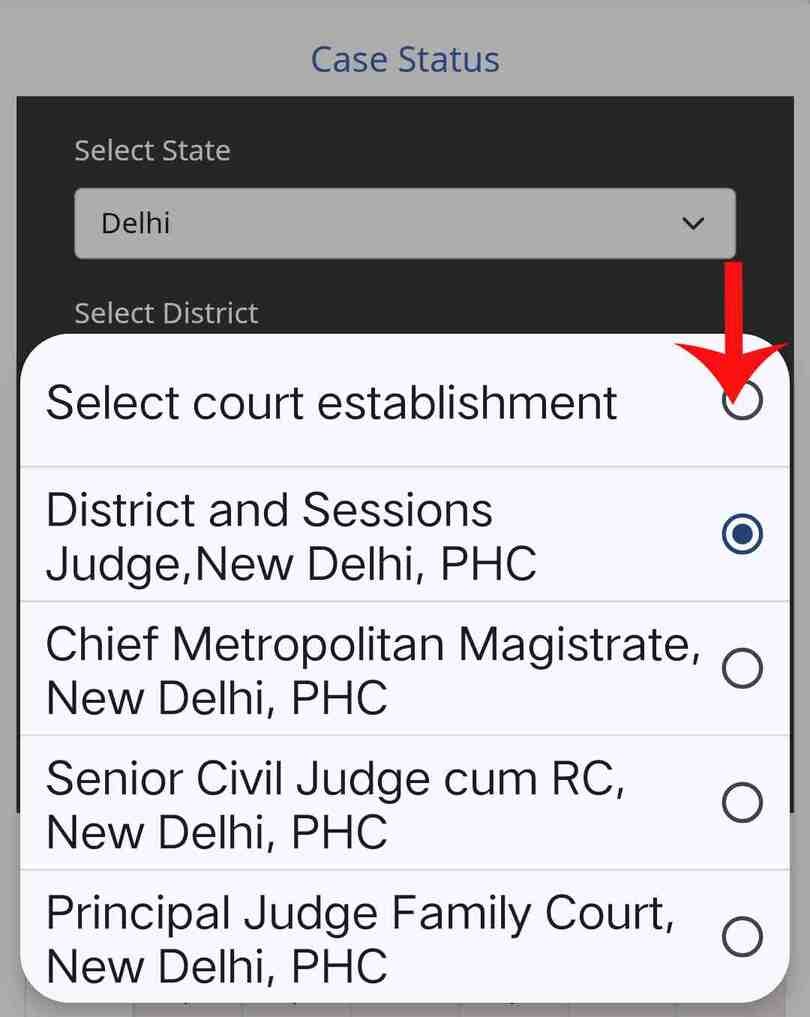
Step 3: Select the correct Court Establishment.
This identifies the specific court where the case was filed or is being heard.
Step 4: Select Party Name to search for a case.
If you do not have the CNR Number or Case Number, searching by name can be useful.
Select Petitioner or Respondent and enter the relevant person’s name.
Petitioner is the person who filed the case, while Respondent is the party against whom the case was filed.
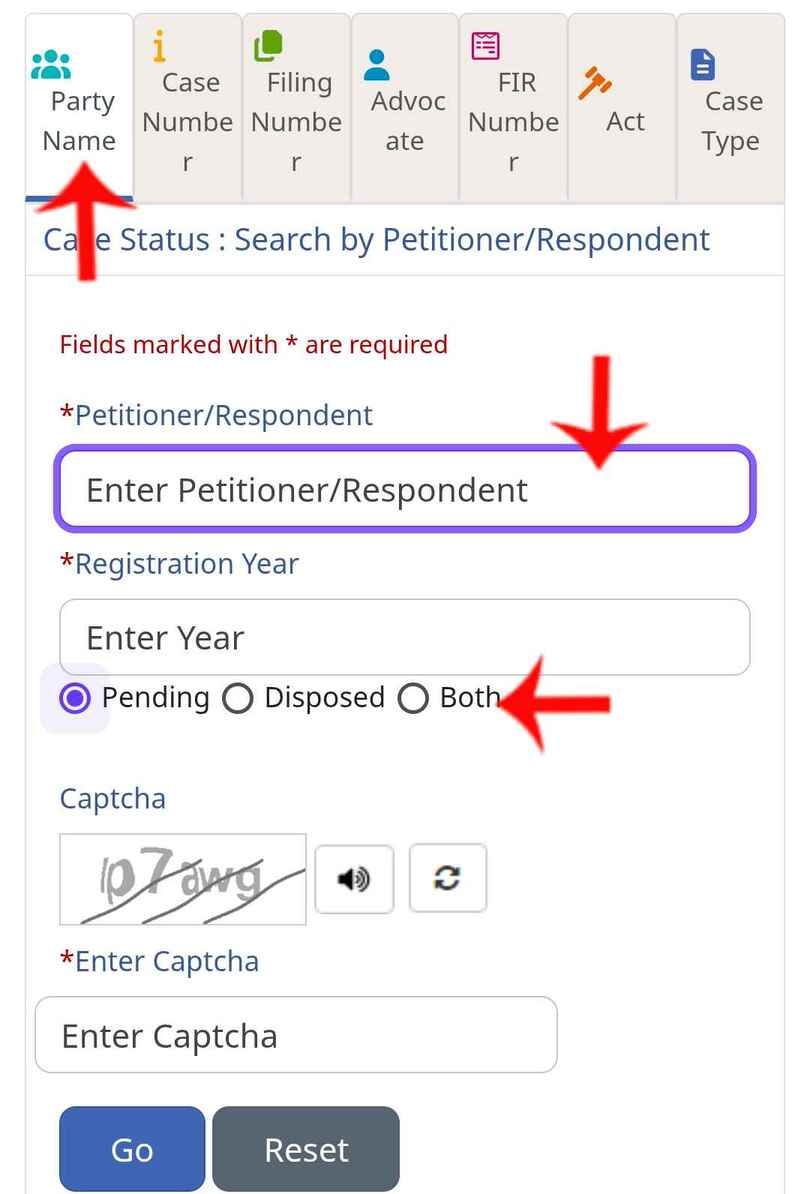
Enter the Registration Year and select Pending, Disposed, or Both. Then enter the captcha and click Go.
- Pending: The case is still ongoing.
- Disposed: The case has been completed.
- Both: Shows both ongoing and completed cases.
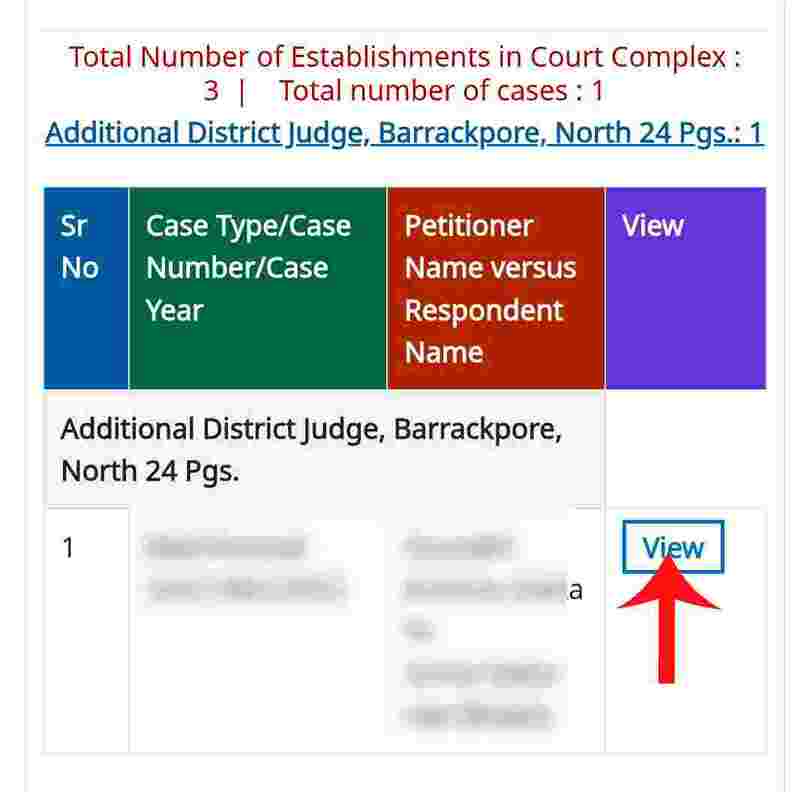
Step 5: A list of cases matching the name will appear. Do not assume a case is related to your land based only on the name. Check the district, parties, and Case Type.
Once you find the relevant case, click View.
Step 6: In the Case Details, check the Case Type, Nature of Suit, CNR Number, Case Number, Petitioner/Respondent, and Case Status.
Nature of Suit means the type or subject of the dispute involved in the case.
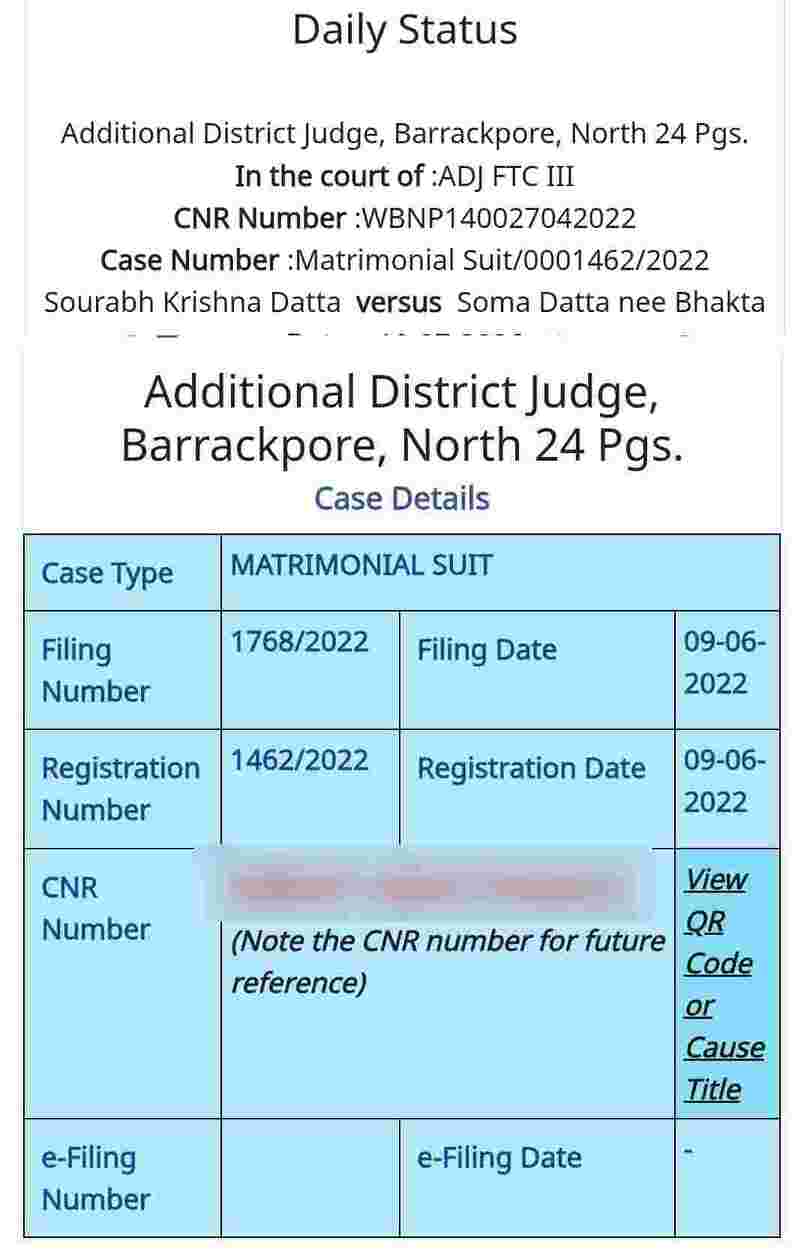
Step 7: To identify a land or property-related case, look for terms such as Title Suit, Civil Suit, Partition Suit, Possession Suit, Declaration Suit, or Injunction Suit.
For example, a Partition Suit may relate to division of property, while a Possession Suit may relate to possession of property.
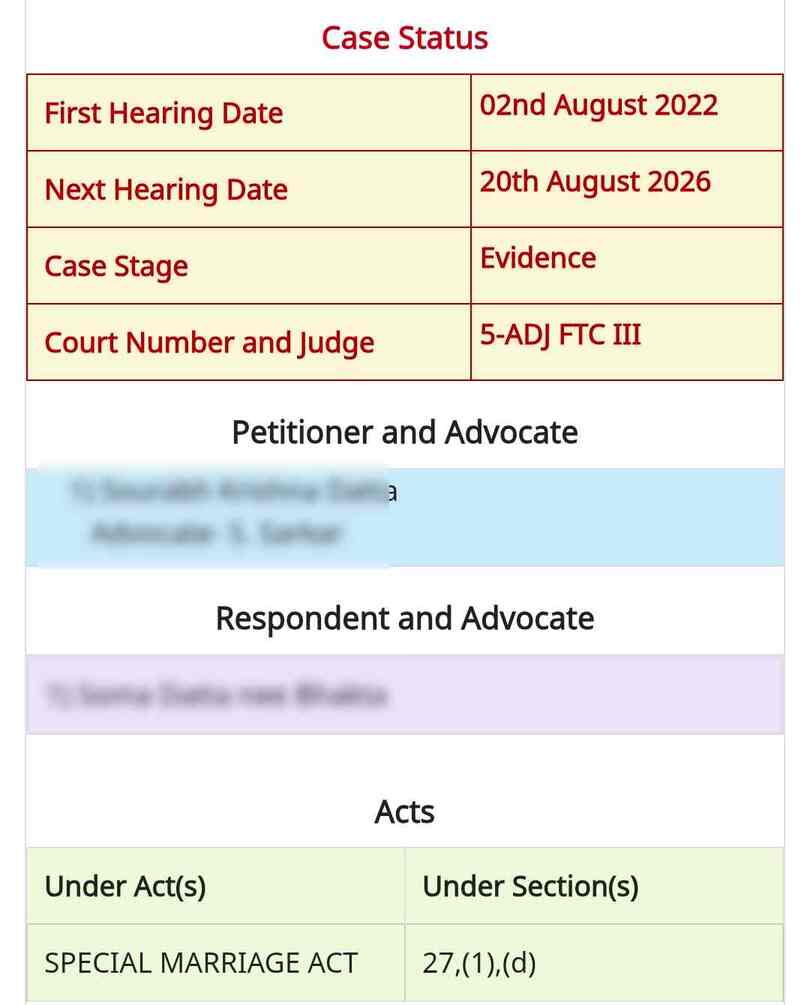
Scroll down to check the Case Status and Hearing Details. You may find previous and upcoming hearing dates. Also check the Petitioner, Respondent, and their lawyers’ details to help confirm that you have found the correct case.
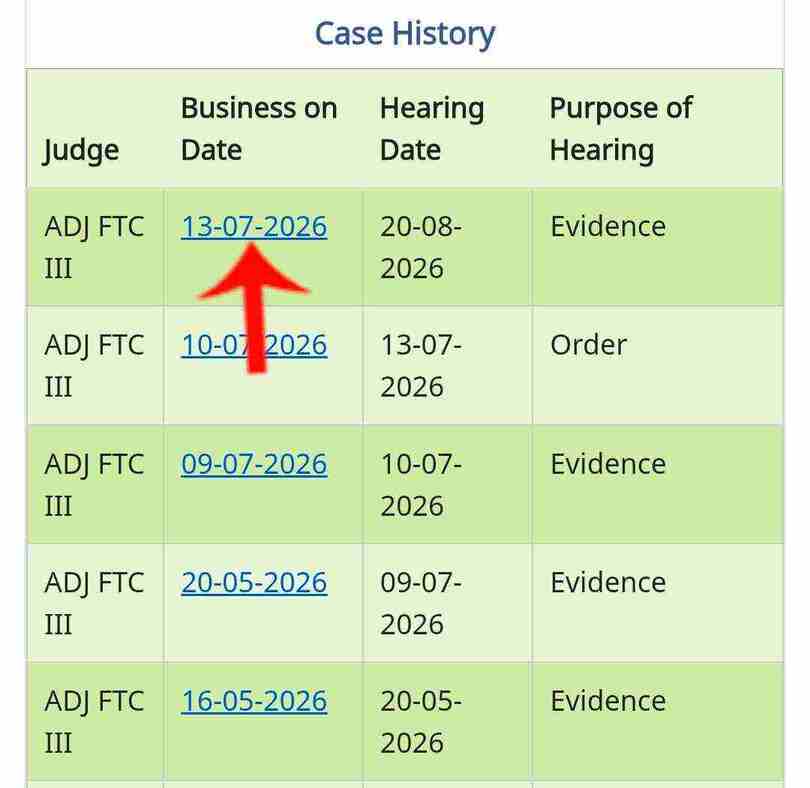
Step 8: Finally, check the Acts and Case History sections. You can click the available dates to view the case’s previous proceedings and progress.
Is Checking the Seller’s Name Enough?
No. Searching the Seller’s name on eCourts is a useful first step, but it is not a complete property legal verification. A land or property dispute may involve a previous owner, co-owner, family member, or Power of Attorney holder.
If the Seller has a common name, do not identify a case by name alone. Compare the district, Court Establishment, Case Type, Case Number, and names of the parties before deciding that the case is related to the property.
Is It Safe to Buy Property After Checking eCourts?
Not necessarily. eCourts can help you check available court records, but it should be treated as one part of property legal due diligence, not as a complete title verification.
Along with court records, check the Sale Deed, land records, Khasra details, mutation records, Encumbrance Certificate (EC), and previous ownership documents. If you cannot find a case, recheck the name spelling, district, and court details. For an important transaction, consider getting the property records reviewed by a qualified property lawyer.
What Documents Should You Check Before Buying Land or Property?
- Sale Deed: Check the Seller’s ownership and previous transactions.
- Land Records: Match the recorded owner and property details.
- Khasra Number: Make sure the number matches across the relevant records.
- Mutation Records: Check whether the ownership change was updated in the land records.
- Encumbrance Certificate (EC): Check available records for registered transactions or encumbrances.
- Court Records: Search for cases involving the Seller and relevant previous owners.
- Other Local Records: Where necessary, check maps, tax/land revenue records, and other government records.
What Information Can You Find on eCourts?
- Case Number: The unique number assigned to the case.
- Case Status: Shows whether the case is Pending or Disposed.
- Petitioner & Respondent: Names of the parties involved in the case.
- Court Name: Shows which court is handling the case.
- Next Hearing Date: Shows the upcoming hearing date for an ongoing case.
- Orders / Judgments: If available online, you may be able to view or download court orders and judgments.
Tags: land court case, property court case, eCourts case search, property legal verification, land dispute check, property title search, land title verification, property dispute, property lawyer