
How to Check Punjab Jamabandi Online from Home – View & Download Fard
Friends, if you live in Punjab and you buy or sell land, you must have heard the word Jamabandi. In simple language, Jamabandi means the land record. In this document, you can check the owner name, khasra number, land area, share, and many other details.
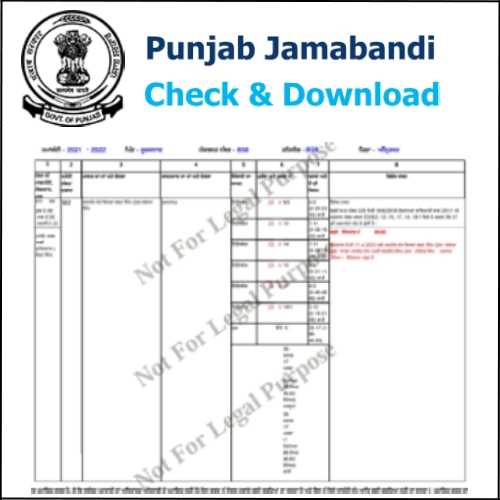
Earlier, people had to visit the Patwari or government offices to get this information. But now the Punjab Government has made everything online. You can check your Jamabandi from your mobile or computer while sitting at home. The service is official and completely free.
In this guide, we will explain the full method step by step in very simple language. Read carefully till the end. Once you understand it, next time you can check your record in minutes without anyone’s help.
Method to Check Fard / Jamabandi in Punjab
Step 1: First open the official Punjab Government land record website in your browser: => https://jamabandi.punjab.gov.in/
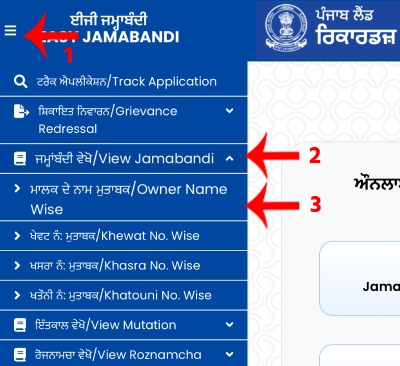
When the site opens, look at the top left corner and click on the three lines (menu). Many options will appear on the screen. From these, click on Jamabandi. After that, you will see different ways to search the record such as Khewat number, Khatauni number, Khasra number, or Owner Name.
The easiest and most popular way is searching by the owner’s name, so click on Owner Name Wise. If you are comfortable with another method, you may choose that as well.
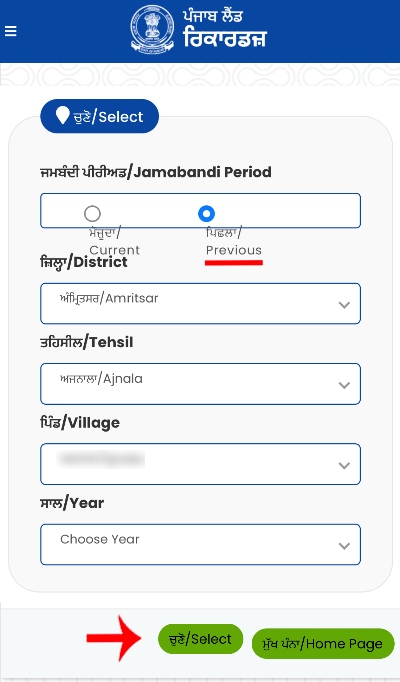
Step 2: Now you will be asked whether you want an old record or the latest one. If you need an old Jamabandi, select Previous. If you want the current record, select Current. After this, choose your district, tehsil, village, and the year for which you want the Jamabandi. Once everything is selected, press the Select button.
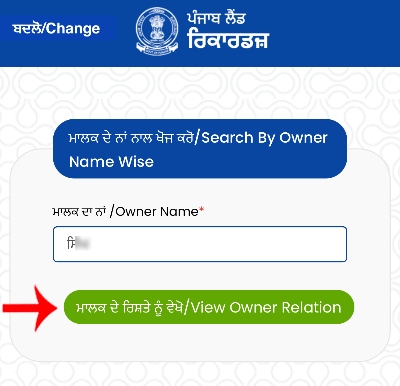
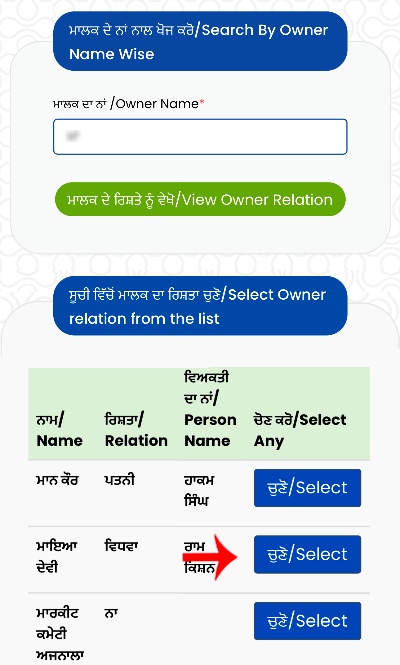
Step 3: On the next page, you will get the option Search by Owner Name. Here you have to type the name of the land owner. Remember one very important thing – the name must be typed in Punjabi language. If you type in Hindi or English, the record will not show. After typing the correct name, click on View Owner Relations.
Step 4: Now you will see the name you entered, and in front of it there will be a Select option. Click on it to move ahead.
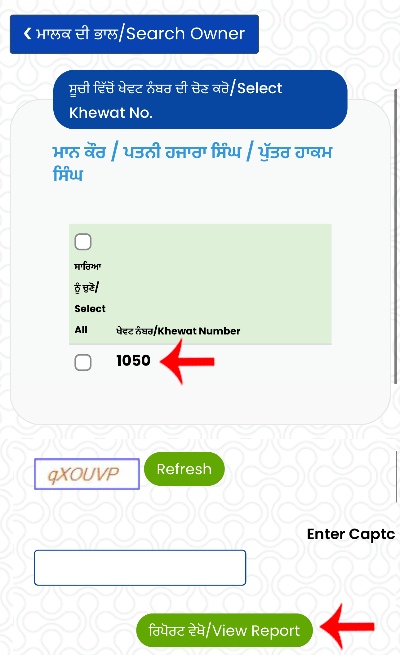
Step 5: After this, all the Khewat numbers connected with that owner will be displayed. Click on the Khewat number for which you want to see the Jamabandi. A code will appear in an image. Enter that code carefully and then click on View Report.
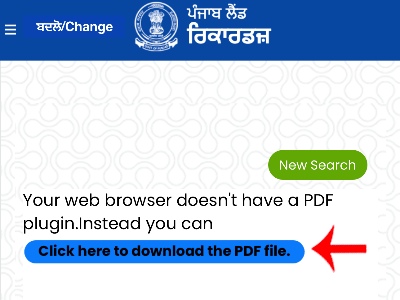
Step 6: Now the complete Jamabandi will open on your screen. If you want to save it, click on “Click here to download the PDF file.”
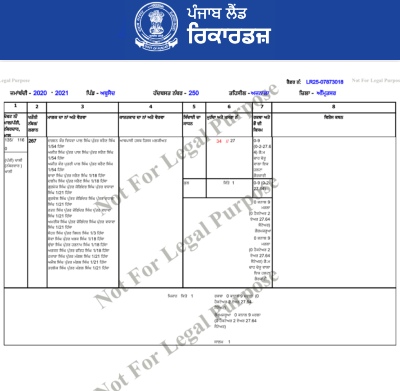
The PDF will be downloaded to your mobile or computer. In this file you will find owner details, khasra numbers, land area, and other important information.
What is Jamabandi?
In Punjab, land records are commonly called Jamabandi. It works as an official proof of ownership and is required for many land-related works.
For your information, Punjab Land Records Society (PLRS) manages and keeps these records safe in Punjab. That is why the information you see on the website is reliable and government-approved.
Apart from checking records, you can also apply online for Fard and use other related services on the portal.
What is Fard?
Just like a house owner keeps a sale deed as proof, a land owner uses Jamabandi documents as ownership proof. All such land ownership papers are generally called Fard.
By using the government website, you can easily check the record from home with the help of owner name, khasra number, or khatauni number. Follow the steps carefully and there will be no chance of mistake.
Conclusion
Now you know that checking Punjab Jamabandi online is not difficult at all. You do not need to visit the Patwari or pay money to any agent. With the right method, you can see or download your land record yourself within minutes.
Since this is an official government website, it is safe and trustworthy. Follow the steps explained above and finish your work easily from home.
Tags: Punjab jamabandi online, Punjab jamabandi check, Punjab fard download, jamabandi by owner name Punjab, Punjab land record online, check jamabandi Punjab, Punjab jamabandi fard copy, Punjab khewat number check, Punjab khasra number search, jamabandi Punjab gov in, Punjab land record by name, Punjab fard online, PLRS jamabandi, Punjab jamabandi PDF download, Punjab land owner details, check land record Punjab, Punjab jamabandi search, Punjab patwari record online, Punjab land details online, Punjab fard nakal, Punjab revenue record, jamabandi view Punjab, Punjab online intkal record, Punjab land registry check, how to check jamabandi in Punjab